
Updates September 2023: We’re entering the flu season in North America, and a new strain of COVID is on dancing around the edges of the news headlines, not quite center. Noone wants to go back to isolation and anxiety of the past few years. But we’ve learned af ew things. In fact, what we’ve learned could help prevent deadly flu viruses spread in the workplace and public spaces. People should take measures to stop the spread…no matter the respiratory virus. In the workplace, we can still practice good hygiene, especially with shared devices.
Another thing we learned is how COVID 19 spreads, and we know that the “Cold, Flu and other related viruses may stay infectious for several hours to days, depending on where their droplets fall. Viruses generally stay active longer on stainless steel, plastic and similar hard surfaces.” citation, Mayo Clinic
Original post, May 2020:
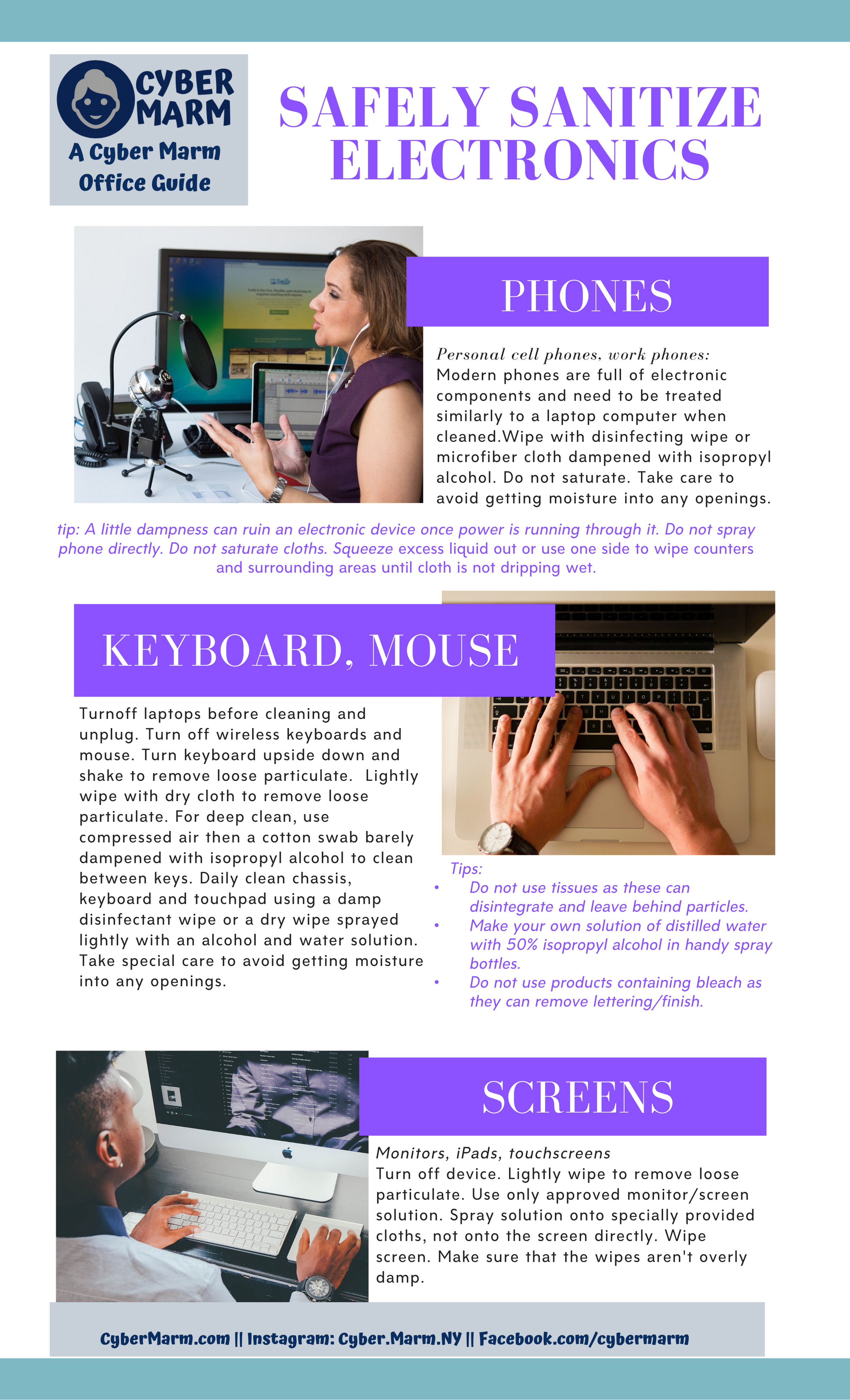
The Coronovirus COVID-19 is top of the news around the world. We all want to prevent spread of this and other viruses. Did you know that keyboards, touchscreens and your computer mouse are fantastic hiding places for microorganisms? And think about it– office cleaning crews and the cleaning fairy often don’t clean these. And as soon as you read this some of you are already gone off to grab sterilizing sprays…but hold your horses.
I just stopped someone from saturating their new VOIP phone with a very strong industrial spray they were poised to deploy in the name of coronavirus prevention. Newer desk phones are full of electronic components and need to be treated similarly to a laptop computer when cleaned. A little dampness can ruin an electronic device once power is running through it.
So what do you clean electronic devices effectively with? And how to do this without ruining the electronic components or the fingerprint finish? **At the end of this blog post is a link to a downloadable guide that you can print on legal sized paper and post in your office or house.**
What to Clean With
Even sanitized water clears off microorganisms. But disinfecting wipes also kill new microorganisms for up to 2 days. Here’s a good CNET article on cleaning keyboards.
You need a different solution for chassis, keyboard, mouse and phone than you do for screens and touch screens.
You can purchase or make the solution. If you are working or living in a place where infection is present, then use disposable wipes. Don’t reuse these. To make your own screen cleaning solution, mix 50% distilled water with 50% isopropyl alcohol in a spray bottle. Spray this onto a a microfiber cloth or onto a disposable dry screen cleaning cloth. You can also purchase pre-moistened computer screen cleaning cloths at office stores.
Do not use products containing bleach as this may remove the lettering on your keyboard and the fingerprint preventing film on your computer. Note that Clorox disinfecting wipes do not actually contain bleach and are okay to use for keyboard, mouse, and chassis, just not for screens.
Here’s a recipe for a non-chemical spray for keyboards, phone keys, computer chassis, mouse and mousepad: Do not use this on monitors and touch screens.
- 1 cup distilled water with
- 1 cup white vinegar
Mix in a spray bottle. Add 5-10 drops of lemon, orange or tea tree essential oil. Shake before each use. Important: Spray onto cloth, not directly on device.
Do not use tissues to clean with. They disintegrate and leave behind particles.
Make a New Habit
Make it a habit to clean your keyboard, mouse, touchpad and phone at end of each day. If you are using devices while sick or were using it before you knew you were sick, or you have shared devices, please be extra careful. The coronavirus survives 9 days on surfaces.
Keyboard, Mouse
Start by wiping your keyboard and mouse with a regular disinfecting wipe or a microfiber cloth dampened with isopropyl alcohol. Do not saturate. Squeeze excess liquid out or use one side to wipe counters and surrounding areas until cloth is not dripping wet. Take care to avoid getting moisture into any openings.
Phone
This applies to cell phones and VOIP phones: Turn off the device. Wipe the areas around the screen with a regular disinfecting wipe or a microfiber cloth dampened with isopropyl alcohol. Do not saturate and don’t get any moisture into openings. To clean the screen, follow screen cleaning instructions below.
Monitors, iPads and Laptop Screens
Turn off device. Lightly wipe with a an electronics cloth to remove loose particulate. Use only approved monitor/screen solution. Spray solution onto specially provided cloths, not onto the screen directly. Wipe screen. Make sure that your wipes aren’t overly damp.
Game controllers and TV remotes
Don’t forget game controllers, TV remotes, sound system controls and other IoT devices!
 Cyber Marm